
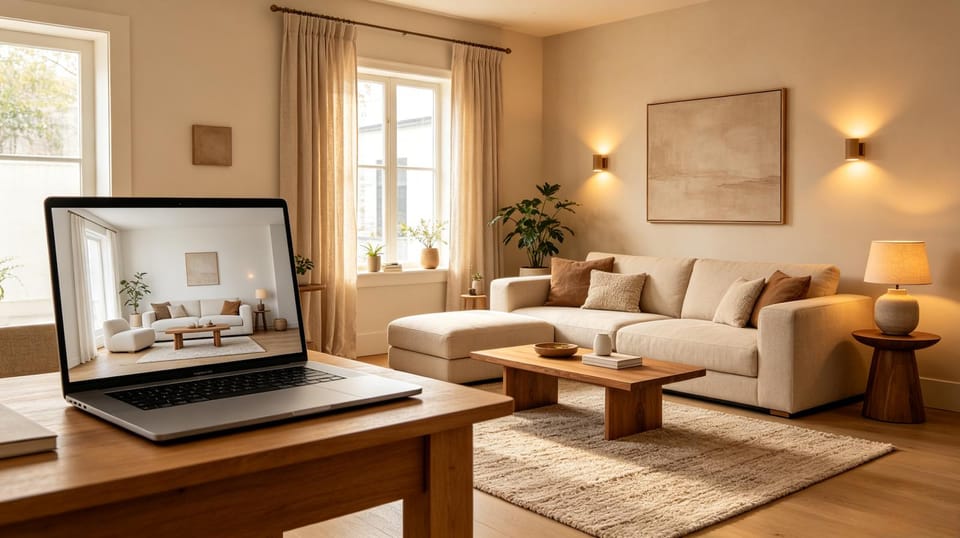
AI Room Design From Photo: How to Get Better Redesign Ideas
Learn how to use AI room design from a photo, what kinds of images work best, and how to turn AI redesigns into practical interior design decisions.
AI room design from photo tools can turn one picture of your living room, bedroom, kitchen, or exterior into a new design direction in seconds. Instead of guessing whether a paint color, sofa style, rug, or layout will work, you can upload a real room photo and preview several ideas before spending money.
But the best results do not come from a random upload and a vague prompt. If you want an AI room designer to create useful, realistic ideas, the photo, style choice, and instructions matter.
This guide explains how to use AI room design from a photo more effectively, when it works well, where it can be wrong, and how to turn the result into a practical decorating plan. For a deeper explanation of the boundary between visual concepts and real-world verification, read what AI interior design can and cannot understand from a room photo.
What is AI room design from photo?
AI room design from photo means using an image of an existing space as the starting point for a redesign. The AI reads the room structure, furniture, lighting, and visible materials, then generates a new visual concept based on your selected style or written instructions.
Common use cases include:
- Testing a new interior design style before buying furniture
- Previewing paint colors, rugs, curtains, and lighting
- Refreshing a room without changing walls or windows
- Planning renter-friendly changes before moving furniture
- Testing small bedroom ideas before buying furniture
- Comparing living room layouts before moving heavy furniture
- Previewing bathroom or kitchen directions before choosing tile, vanity, lighting, or color
- Planning a home office around desk placement, storage, lighting, and video calls
- Testing interior paint color directions before buying samples
- Creating virtual staging ideas for an empty or outdated room
- Exploring exterior paint palettes and curb appeal upgrades
- Comparing several design directions quickly
Roomagic is built around this workflow: upload a room photo, choose the room type, style, budget, and quality level, then generate visual redesign ideas you can review and refine. You can also compare it with broader AI interior design from photo and AI living room design from photo workflows.
If you already know what you want to design, choose the page that matches your photo: AI interior design, AI living room design, AI bedroom design, AI kitchen design, AI bathroom design, or AI garden design. Each one gives you examples and guidance for the space you are trying to improve.
Use the right photo first
The input image has a big impact on output quality. A clear photo helps the AI preserve the room and generate more believable changes.
For best results, use a photo that has:
A wide view of the room
Stand in a corner or doorway so the AI can see walls, floor, ceiling, windows, and major furniture.Good natural or even lighting
Avoid very dark rooms, harsh shadows, or overexposed windows. Balanced light helps the AI understand colors and materials.Less clutter
You do not need a perfectly staged room, but removing random objects helps the AI focus on the design problem.A stable camera angle
Keep the phone level. Extreme wide-angle distortion can make furniture and walls look strange.The main design problem visible
If the issue is a sofa wall, show the sofa wall. If the issue is the exterior color, show the whole facade.
Be specific about what should stay
AI redesign tools are creative, but they can sometimes change things you did not want changed. If you are renting, on a budget, or keeping existing furniture, say so clearly.
Helpful instructions include:
- Keep the existing sofa and floor.
- Do not change windows or doors.
- Keep the kitchen cabinets, but update colors and lighting.
- Renter-friendly only: no built-ins, no construction.
- Keep the layout mostly the same.
- Use budget-friendly furniture and decor.
- Preserve the exterior architecture; only change paint, landscaping, and lighting.
The more real-world constraints you give, the more useful the result becomes.
Choose a style, but also describe the feeling
Style labels like modern, Scandinavian, farmhouse, Japandi, or mid-century are useful, but they are not always enough. Two rooms can both be “modern” while feeling completely different.
Add emotional and material direction, such as:
- Warm, calm, and lived-in
- Light neutral walls with natural wood and linen
- Moody but not dark
- Family-friendly and easy to clean
- Cozy reading-room feeling
- Organic modern with soft beige, olive, and black accents
- Colorful but not chaotic
This helps the AI create a room that matches your taste rather than only copying a generic style.
Use AI for decisions, not just pretty pictures
A good AI room makeover should help you make better decisions. After generating a design, look for specific ideas you can act on:
- Wall color direction
- Sofa or chair color family
- Rug size and placement
- Curtain height and fabric
- Lighting location and warmth
- Art scale
- Wood tone combinations
- Accent colors to repeat around the room
- Whether the room needs more contrast, softness, or storage
If the image looks beautiful but cannot be executed in your real room, treat it as inspiration, not a final plan.
Common mistakes to watch for
AI interior design can be useful, but it is not perfect. Review every result with a practical eye.
Watch for:
- Furniture that is too large for the room
- Rugs that float without reaching furniture legs
- Doors, windows, or stairs that have been changed accidentally
- Lighting fixtures in impossible locations
- Extra cabinets, fireplaces, or built-ins you did not ask for
- Materials that look nice but exceed your budget
- Exterior details like fake numbers, signs, or unrealistic landscaping
If something is wrong, regenerate with tighter instructions. For example: “keep all windows and doors unchanged,” “no visible text or numbers,” or “do not add built-in furniture.”
Good prompt examples
Here are practical AI room design prompts you can adapt.
Living room makeover
Redesign this living room in a warm organic modern style. Keep the sofa, windows, floor, and main layout. Add a larger neutral rug, warm wood coffee table, layered lighting, linen curtains hung high and wide, and olive/rust accent pillows. Make it cozy, realistic, and budget-friendly.
Small bedroom refresh
Create a calm small bedroom design. Keep the bed position and window. Use warm white walls, natural wood, soft linen bedding, wall-mounted reading lights, and minimal decor. Make the room feel larger and brighter without construction.
Kitchen update without renovation
Refresh this kitchen without changing the cabinets or layout. Add a washable runner rug, warmer lighting, simple counter styling, muted green and brass accents, and a more cohesive color palette. Keep it realistic and affordable.
For more kitchen-specific inspiration, use the same principle: keep cabinets, layout, plumbing, and major appliances fixed, then test lower-risk changes such as lighting warmth, runner rugs, hardware finish, wall color, and counter styling. If you are planning a compact kitchen, the small kitchen remodel before and after guide shows how to compare budget-friendly AI preview directions before spending money.
Exterior curb appeal
Improve this house exterior while preserving the architecture, roofline, windows, and doors. Try a warm neutral siding color, deeper trim contrast, simple landscaping, and updated porch lighting. No visible text, numbers, signs, or address details.
AI room design from photo vs virtual staging
AI room design and virtual staging overlap, but they are not exactly the same.
AI room design is best for homeowners and renters who want ideas for a real space they live in. It can suggest colors, furniture styles, decor, and layout changes.
Virtual staging is often used for real estate listings. The goal is to make an empty or outdated property look attractive to buyers, usually while avoiding misleading structural changes.
If you are decorating your own home, focus on realistic design constraints. If you are staging a property, make sure the image does not misrepresent permanent features.
How to turn an AI redesign into a shopping plan
Once you like a generated room concept, break it into layers:
- Keep: what stays from the current room?
- Paint/materials: what color or finish changes are needed?
- Large furniture: sofa, bed, table, chairs, storage.
- Textiles: rug, curtains, bedding, pillows.
- Lighting: ceiling, floor lamps, table lamps, sconces.
- Decor: art, plants, books, trays, mirrors.
- Budget order: what can you do now, later, or DIY?
This turns an AI image into a realistic action list instead of a one-off inspiration picture.
Try Roomagic for your own room
If you want to preview ideas for your own space, try Roomagic with a clear photo and a specific goal. Start with one room, generate a few different styles, then compare what each version changes.
Use the result to answer practical questions:
- Which color palette feels right?
- Does the room need more contrast or warmth?
- Should the layout stay the same?
- Which decor changes would make the biggest difference?
- What can be done without renovation?
AI will not replace your judgment, but it can make design decisions much easier to see.
FAQ
Can AI design a room from one photo?
Yes. A good AI room designer can use one clear photo to generate new visual ideas for the same space. For best results, use a wide, well-lit photo and explain what should stay unchanged.
Is AI room design accurate?
It can be visually useful, but it is not always dimensionally perfect. Treat the result as a concept and check furniture sizes, walkways, doors, windows, and budget before buying anything.
What rooms work best?
Living rooms, bedrooms, dining rooms, kitchens, offices, and exterior facades usually work well when the photo is clear. Very cluttered, dark, or cropped photos are harder for AI to redesign accurately.
Can renters use AI room design?
Yes. Add constraints like “renter-friendly,” “no construction,” “do not change floors,” and “keep existing furniture.” The AI can then focus on paint alternatives, rugs, curtains, lighting, and decor.
Should I use AI room design before hiring a designer?
It can help you clarify your taste and priorities before talking to a designer. You can use AI images as a visual brief, but a professional designer is still valuable for measurements, sourcing, construction details, and final decisions.