
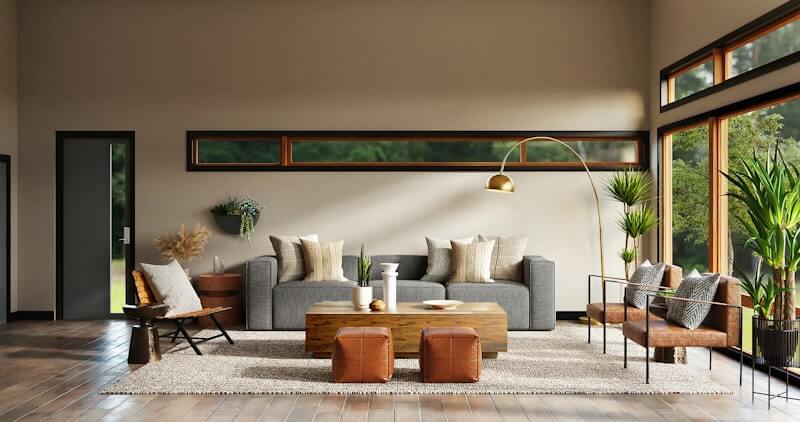
AI Interior Design From a Photo: How to Redesign Any Room Online
Learn how AI interior design from a photo helps you redesign real rooms online, compare styles, and plan a better room makeover before renovating.
Redesigning a room usually starts with a messy gap between inspiration and reality. You might save a beautiful living room on Pinterest, find a bedroom on Instagram, or walk through a furniture store and imagine how everything could look at home. The hard part is knowing whether that idea works in your actual space.
That is where AI interior design from a photo becomes useful. Instead of designing from a blank canvas, you start with the room you already have. The AI can reference your walls, windows, flooring, natural light, furniture placement, and camera angle, then generate a new design direction for that specific room.
For homeowners, renters, and design-curious buyers in the United States, this can save a lot of guesswork. You can test a modern living room concept before ordering a sofa, preview a calmer bedroom before repainting, or explore a kitchen refresh before spending money on materials. With Roomagic, the workflow is simple: upload a room photo, choose a style, and create a realistic AI room design that helps you see what is possible.
Why room design AI works better from a real photo
Generic inspiration images are helpful, but they do not answer the most important question: will this work in my room?
A real photo gives room design AI the context it needs to produce a more relevant result. A small apartment living room, a long open-plan family room, and a compact bedroom all need different decisions. Furniture scale, window placement, ceiling height, floor tone, and traffic flow matter more than a style label.
When you upload a photo, the AI can use those visible constraints to create a design concept that feels closer to your space. It still needs your judgment, but the output is more useful than a generic rendering because it is anchored to the room you are trying to improve. For a deeper walkthrough focused on upload quality, prompts, and practical decision-making, read our guide to AI room design from photo. To understand what a photo-based tool can infer and what it still cannot verify, see what AI interior design can and cannot understand from a room photo.
This is especially valuable if you are choosing between styles. You can compare Modern, Scandinavian, Japandi, Minimalist, Industrial, or Contemporary directions on the same room. That makes the decision less abstract. You are not asking, "Do I like this style?" You are asking, "Do I like this style in my room?"
What rooms can you redesign with AI?
AI interior design works best when the room has enough visible structure for the tool to understand. Most common residential spaces are good candidates:
- Living rooms that need a better furniture arrangement or updated mood
- Bedrooms that need a calmer palette, softer lighting, or a more finished look
- Kitchens that need material, cabinet, lighting, or color direction
- Home offices that need better focus, storage, and background appearance
- Dining rooms that need a clearer focal point
- Bathrooms, balconies, outdoor areas, and commercial spaces that need visual direction
You can review supported workflows on the AI interior design features page. If you want to see examples before uploading your own room, browse Explore for before-and-after AI room designs from different spaces and styles.
If you already know which space you want to improve, start with the guide that matches that room. Use AI interior design for a general room photo, or go directly to AI living room design, AI bedroom design, AI kitchen design, or AI bathroom design when you want examples, style choices, and guidance tailored to that room.
How to get better AI room redesign results
The quality of the input photo has a major impact on the output. You do not need professional photography, but you do need a photo that clearly shows the room. Before using any AI room design generator, take a moment to prepare the image.
Try to stand in a corner or doorway so the photo captures more of the room. Keep the camera level, avoid heavy wide-angle distortion, and turn on lights if the room is dark. Natural daylight is helpful, but harsh glare can hide details. If a large object blocks half the space, move it out of the way when possible.
Avoid photos that are too close to one piece of furniture. A close-up of a couch or bed does not give enough room context. A complete view of the walls, floor, windows, and major furniture will usually create a better AI interior design result.
How to choose the right design style
Style selection is not just about taste. It should match how you want the room to feel and how much change you are willing to make.
If you want a cleaner room without making it feel cold, Scandinavian or Japandi can be a good starting point. If you want a stronger transformation, Modern, Contemporary, or Industrial may create more contrast. If you want a calm bedroom, Minimalist or Zen-inspired styles can reduce visual noise. If you want a warmer living room, try natural woods, soft neutral palettes, and layered lighting.
The useful part of AI interior design is that you can compare several directions quickly. One result may show that a style you liked online feels too cold in your home. Another may reveal that a simple material change creates enough of an upgrade without replacing everything.
From inspiration to action
AI interior design is not a replacement for measuring, budgeting, construction drawings, or professional advice when you need structural changes. It is better understood as an early planning tool. It helps you see possibilities, narrow your taste, and communicate direction with more confidence.
For example, you can use an AI redesign as a visual reference when shopping for furniture, talking with a contractor, planning a paint color, or explaining your preferences to a partner. Instead of saying "I want something modern but warm," you can show a direction and discuss what works.
That clarity can prevent expensive mistakes. You may realize that a darker palette is too heavy for the room, or that a lighter wood tone makes the space feel larger. You may discover that you do not need a full renovation, just better lighting, cleaner storage, and a more consistent color palette.
When should you use Roomagic?
Roomagic is useful when you want a fast, visual answer to a practical design question:
- What could this room look like in a different style?
- Which design direction feels best before I buy furniture?
- How can I make this space feel cleaner, warmer, brighter, or more modern?
- Can I turn a plain room photo into a realistic makeover concept?
If you are planning a room refresh, start with a clear photo and try a few styles. Then compare the results, save the strongest direction, and use it as a reference for your next decision. You can also check current plan options on Pricing if you want to generate more room design concepts.
AI room design works best when it supports real decisions. Start with the room you have, explore the room you want, and move forward with a clearer visual plan.