
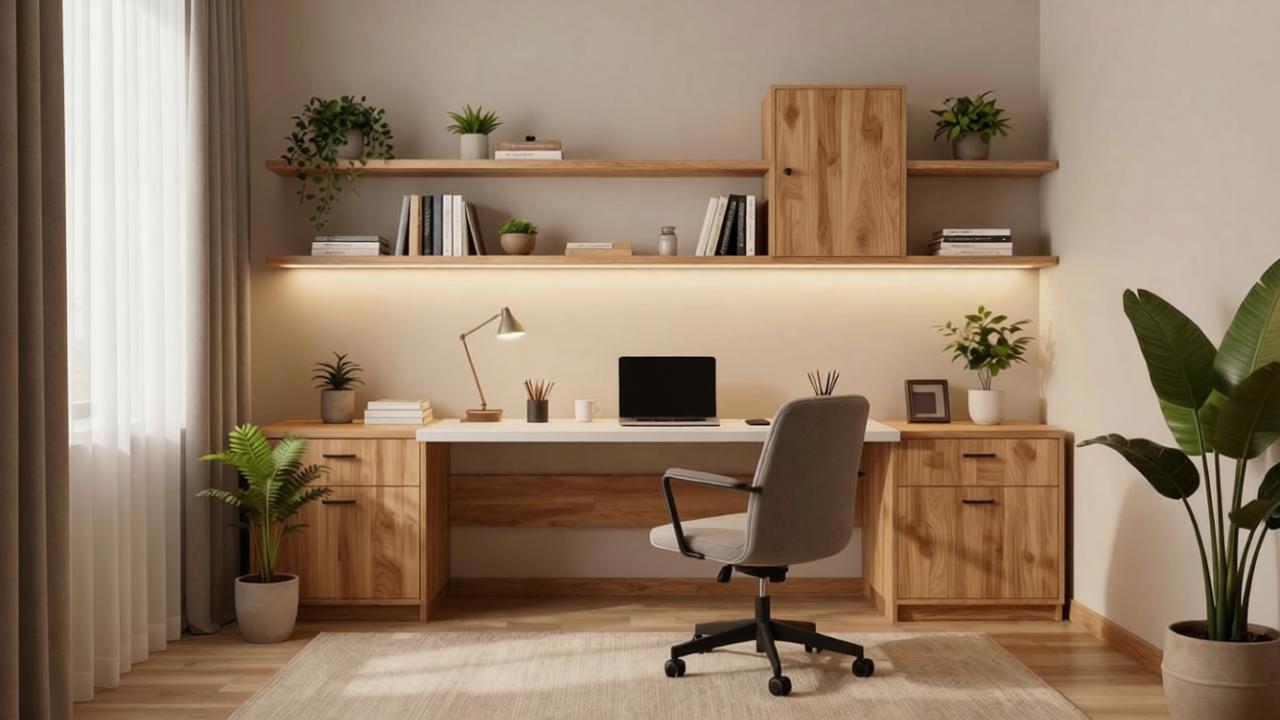
Home Office Design Ideas With AI: Plan a Better Work-From-Home Setup
Use AI home office design from a room photo to preview desk placement, lighting, storage, video-call background, ergonomics, small office layouts, and decor.
A home office has to work harder than most rooms. It needs to support focus, comfort, storage, lighting, video calls, cords, printing, books, paperwork, and sometimes a second purpose like guests, crafts, gaming, or homework. A pretty desk setup that ignores outlets, glare, chair clearance, or storage gets annoying fast.
AI home office design can help you test ideas before buying furniture or rearranging the room. Upload a photo of your actual space, then preview desk placement, shelving, storage, task lighting, wall color, rugs, curtains, plants, art, and video-call backgrounds in context.
If this is your first photo-based redesign project, start with AI room design from photo. This guide focuses on practical home office design decisions.
Why home offices are different from other rooms
A home office is a working room. It has to support daily habits, not just a single styled image.
Good home office design considers:
- Desk position
- Chair clearance
- Monitor depth
- Natural light and screen glare
- Outlets and cable routes
- Task lighting
- Storage for papers and supplies
- Background for video calls
- Acoustics
- Printer location if needed
- Dual-use furniture
- Room sharing with guests, kids, or hobbies
AI can quickly show attractive options, but you need to filter them through how you actually work.
Take a good home office photo
Before generating designs, take a clear photo of the space.
Use this checklist:
- Stand in a corner or doorway to show the whole room.
- Keep the camera level.
- Include windows, doors, outlets if visible, closet, current desk, and storage.
- Take a second photo from the opposite corner if the room is small or awkward.
- Leave key items visible if you need to keep them.
- Remove clutter you do not want redesigned into the result.
- Do not crop out the floor or ceiling.
If you work with multiple monitors, a printer, art supplies, files, or books, mention that in the prompt.
A good AI prompt for home office design
Use this prompt:
Redesign this room as a realistic home office while preserving the room size, windows, doors, closet, flooring, outlets, and architecture. Create a practical desk layout with comfortable chair clearance, storage, warm task lighting, cable management, shelves, rug, curtains, art, plants, and a clean video-call background. Keep the room functional, calm, and not overcrowded.
If the room must stay dual-purpose, add:
Make this a dual-purpose home office and guest room. Include a practical desk, storage, good lighting, and a guest sleeping option without overcrowding the room.
If the room may become a baby room later, include safety-aware layout constraints such as clear circulation, stable furniture, soft lighting, and no overloaded shelving near a crib area.
If you rent, add:
Use renter-friendly changes only. No permanent built-ins, no new flooring, no changed windows or doors, no hardwired lighting, and no wall damage-heavy installation.
1. Choose the desk location first
The desk is the anchor of a home office. AI can help you compare placements before moving furniture.
Common desk positions:
- Facing a wall
- Facing a window
- Perpendicular to a window
- Floating in the room
- In a corner
- In a closet nook
- Behind a sofa in a living room
- Along a bedroom wall
Each option has tradeoffs.
Facing a window can feel inspiring, but glare may make screen work difficult. Facing a wall can be focused, but the video-call background may be plain. Floating the desk can look professional, but it needs enough room and cable planning.
Prompt phrase:
Place the desk where it has good light but avoids screen glare and keeps clear chair movement.
2. Plan for ergonomics, not just style
AI may generate a stylish chair that is not comfortable for daily work. Treat the image as design direction, not an ergonomic recommendation.
Check:
- Chair can roll or move back.
- Desk depth fits your monitor and keyboard.
- Monitor height can be adjusted.
- Arms and shoulders are not cramped.
- There is room for foot position.
- Laptop users have space for stand, keyboard, and mouse.
- Lighting does not create eye strain.
If you work long hours, prioritize a real ergonomic chair over a decorative chair.
3. Control glare and natural light
Natural light makes a home office feel better, but screen glare can ruin the layout.
AI can help test:
- Desk perpendicular to window
- Curtains or shades
- Sheer curtains plus blackout option
- Desk lamp placement
- Matte surfaces instead of glossy ones
- Wall color that does not reflect harsh light
Ask for “soft natural light without screen glare” if the first result puts the monitor directly in front of a bright window.
4. Create a good video-call background
For many people, the most visible part of the office is the wall behind them on calls.
Good background options:
- Bookshelf with controlled styling
- Art wall
- Calm painted wall
- Curtains behind the desk
- Cabinet or closed storage
- Plant plus framed art
- Minimal wall panel look
Avoid backgrounds with clutter, laundry, beds, open closets, or busy shelves. If video calls matter, include this in your prompt.
Prompt phrase:
Create a clean, professional video-call background behind the chair.
5. Add closed storage for real work
Open shelving looks great in AI images, but real home offices often need closed storage.
Consider:
- File cabinet
- Credenza
- Desk with drawers
- Closed bookcase lower cabinets
- Wall cabinet
- Storage baskets
- Printer cabinet
- Closet organizer
- Rolling cart
If your office collects paperwork, ask for “closed storage for papers and supplies.”
6. Make a small home office work harder
Small offices need compact furniture and clear circulation.
AI can preview:
- Wall-mounted desk
- Narrow writing desk
- Secretary desk
- Desk in closet nook
- Floating shelves
- Tall narrow bookcase
- Desk used as nightstand
- Fold-down desk
- Storage ottoman
- Corner desk
For small rooms, include:
Use compact furniture, keep floor space clear, and do not overcrowd the room.
If the room is also a bedroom, use the same small-space principles: clear walkways, compact furniture, layered storage, and calm visual balance. If your office is in a lower-level room, be extra specific about lighting, ceiling height, flooring, and moisture-aware materials.
7. Design a home office in a living room
Not everyone has a dedicated office. If your workspace is in a living room, the challenge is making it feel intentional.
Try:
- Desk behind sofa
- Slim desk along an unused wall
- Console-style desk
- Cabinet desk that closes
- Matching wood tones with living room furniture
- Rug or lighting that defines the work zone
- Storage that hides work supplies after hours
If your office is part of the living room, combine this with AI living room design from photo so the workspace fits the seating layout instead of feeling added on.
8. Layer the lighting
A single ceiling light is rarely enough for work.
AI can preview:
- Adjustable desk lamp
- Floor lamp near reading chair
- Wall sconce if allowed
- Picture light over art
- Cabinet lighting
- Warm ambient lighting
- Daylight-balanced task light for detailed work
The best home office lighting reduces eye strain and makes the room pleasant after dark.
9. Keep cords realistic
AI often hides cords completely. Real offices need cable planning.
Think about:
- Outlet location
- Power strip placement
- Cable tray under desk
- Monitor and laptop chargers
- Printer cable or Wi-Fi setup
- Lamp cords
- Floor outlets if the desk floats
If the AI places a floating desk in the center of the room, ask how power will reach it before buying anything.
10. Avoid common AI home office mistakes
AI office images can look polished but fail in real use.
Watch for:
- Desk too shallow for monitor
- Chair cannot move back
- Desk blocks closet or door
- Monitor facing bright window glare
- No task lighting
- No storage for paperwork
- Too many open shelves
- Decorative chair instead of ergonomic chair
- Floating desk with no power plan
- Video-call background ignored
- Overcrowded small room
- Fake built-ins or changed windows
If this happens, regenerate with stronger constraints: “preserve architecture,” “keep clear chair clearance,” “avoid screen glare,” and “include realistic storage.”
Home office AI checklist
Before buying furniture based on an AI image, confirm:
- Does the desk fit the available wall or floor space?
- Can the chair move back comfortably?
- Does the layout avoid screen glare?
- Are outlets close enough?
- Is there storage for actual work items?
- Is the video-call background acceptable?
- Is lighting practical for day and night?
- Does the room still support any secondary use?
- Are shelves and cabinets installable in your home or rental?
- Is the chair comfortable enough for your work hours?
How Roomagic can help
Roomagic lets you upload a real home office, bedroom, living room, or spare room photo and generate design ideas across styles, budgets, and quality levels. For home offices, the best prompts include work habits and constraints, not just a style label.
Try this Roomagic prompt:
Create a realistic home office design from this photo. Preserve the room size, windows, doors, closet, flooring, outlets, and architecture. Place the desk for productivity, comfortable chair clearance, soft natural light without screen glare, practical storage, warm task lighting, cable management, shelves, rug, curtains, art, plants, and a clean video-call background. Keep the room calm, functional, and not overcrowded.
If wall color is part of the plan, compare options with the interior paint color visualizer with AI. If you need a low-commitment rental setup, combine this with the renter-friendly room makeover guide.
FAQ
Can AI help design a home office?
Yes. AI can preview desk placement, storage, lighting, rugs, shelves, wall color, decor, and video-call backgrounds from your actual room photo. You still need to verify measurements, outlets, and ergonomic needs.
What should I tell an AI home office designer?
Tell it to preserve the room size, windows, doors, closet, flooring, outlets, and architecture. Ask for practical desk placement, chair clearance, storage, task lighting, cable management, and a clean video-call background.
Where should a desk go in a home office?
The best desk location depends on light, glare, outlets, chair clearance, and background. A desk perpendicular to a window often balances natural light and screen comfort better than facing directly into or away from a bright window.
How do I make a small home office work?
Use compact furniture, vertical storage, closed storage, good lighting, and a desk that fits the room. Avoid oversized chairs, deep desks, and too many open shelves.
What is the biggest home office design mistake?
The biggest mistake is designing only for appearance. A home office must support real work: comfort, lighting, storage, outlets, cords, video calls, and daily workflow.