
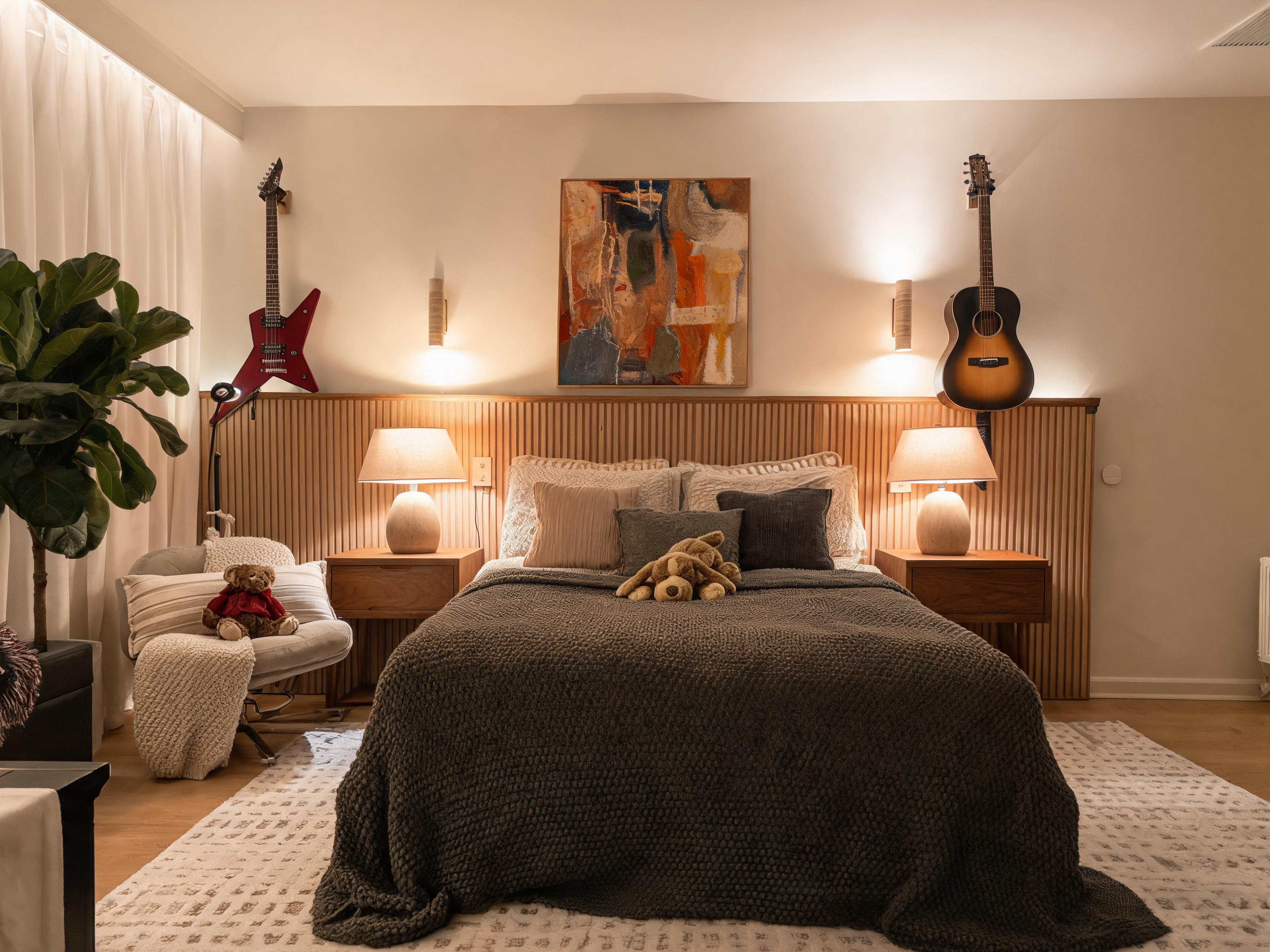
AI Bedroom Design From Photo: Create a Calmer Room Before You Buy
Use AI bedroom design from a photo to preview color palettes, lighting, furniture mood, and layout ideas before decorating or renovating your bedroom.
A bedroom should feel easy to rest in, but many bedrooms become a mix of unfinished decisions. The bed may be fine, the wall color may be acceptable, and the furniture may be functional, yet the room still feels busy, dark, or disconnected.
AI bedroom design from a photo helps you see a clearer direction before you spend money. Instead of guessing whether a new paint color, bedding set, rug, or nightstand style will work, you can upload your current bedroom photo and preview a realistic design concept in context.
With Roomagic, the process is simple: start with a clear bedroom photo, choose a style, and generate an AI room design that shows what the space could become.
If you are working on a bedroom specifically, the AI bedroom design page gives you a more direct starting point. It focuses on bedroom photos, calming styles, bedding direction, bedside lighting, storage, and layout decisions that affect how restful the room feels.
Why bedroom design works well from a real photo
Bedrooms are personal spaces, so generic inspiration can be misleading. A hotel-style bedroom on Pinterest may look calm because it has perfect lighting, high ceilings, and matching furniture. Your room may have a smaller window, a darker floor, a lower ceiling, or a layout that limits where the bed can go.
A real photo gives AI bedroom design more useful context. It can respond to the actual wall shape, window placement, floor color, bed position, and visible furniture scale. The result is not a construction plan, but it is a stronger visual starting point than a generic mood board.
This is especially helpful when you are choosing between style directions. A Minimalist bedroom may make the room feel larger. A Japandi bedroom may add warmth without clutter. A Scandinavian bedroom may brighten the space with soft neutrals and light wood. A Modern bedroom may feel cleaner and more polished.
What to test in an AI bedroom redesign
The best bedroom redesigns usually improve the room's mood before they add complexity. Use AI to test the decisions that shape the whole space.
Start with the color palette. Bedrooms often benefit from softer contrast, warmer neutrals, muted greens, gentle blues, creamy whites, or natural wood tones. If your current room feels visually loud, generate a calmer version and see whether fewer colors help.
Then look at lighting. A bedroom can feel unfinished when it relies on one harsh ceiling light. AI concepts may suggest bedside lamps, wall lights, warmer bulbs, layered curtains, or softer indirect light. Even if you do not copy the result exactly, the lighting direction can guide your next purchase.
Furniture scale matters too. Oversized dressers, heavy bed frames, and crowded nightstands can make a bedroom feel smaller. AI bedroom design can help you preview lighter furniture, cleaner storage, and a better visual balance around the bed.
For a more useful review, compare the generated image against three practical questions: does the bed wall feel calmer, does the room look easier to move through, and does the design suggest changes you can actually afford? If a result only looks dramatic but does not answer those questions, treat it as inspiration rather than a plan.
Styles that work well for bedrooms
Some styles are especially useful for bedroom planning because they prioritize calm and comfort.
Japandi is a strong option when you want natural materials, warm neutrals, simple shapes, and a peaceful mood. Scandinavian works well for bright bedrooms with practical comfort and soft textures. Minimalist design can reduce clutter and create a cleaner sleep environment. Modern design can make a dated bedroom feel more finished without becoming decorative.
The right style depends on how you want the room to feel at night and in the morning. A bedroom that looks dramatic in an image may not feel restful in daily life. Generate more than one direction and compare which one feels livable.
You can see broader supported workflows on the Features page, or browse public AI room design examples for before-and-after inspiration.
How to take a better bedroom photo
For better AI bedroom design results, take the photo from a corner or doorway so the bed, floor, walls, and windows are visible. Keep the camera level and avoid standing too close to one object. Open curtains if natural light helps, but avoid strong glare that hides details.
Try to remove temporary clutter before taking the photo. You do not need a perfect room, but the AI should be able to understand the main structure. If clothes, boxes, or bags cover the floor and furniture, the design may focus on noise instead of the room itself.
If your bedroom has an awkward layout, take a second photo from another angle and compare results. Sometimes one view explains the room better than another.
Turn the result into practical decisions
An AI bedroom design is most useful when it helps you make better next steps. Use the result to decide whether the room needs a new palette, softer lighting, better storage, a different bed frame mood, or simply more consistency.
You can also use the image as a shopping reference. Instead of buying individual pieces that may not work together, look for the recurring pattern in the design: wood tone, fabric texture, rug size, lamp style, and wall color.
Start with a clear photo, generate two or three bedroom directions, and save the one that feels calm enough to live with. If your bedroom is part of a smaller apartment, the small-space room design guide can help you think about storage and layout. When you are ready to create more versions, check Pricing or start from the homepage.