
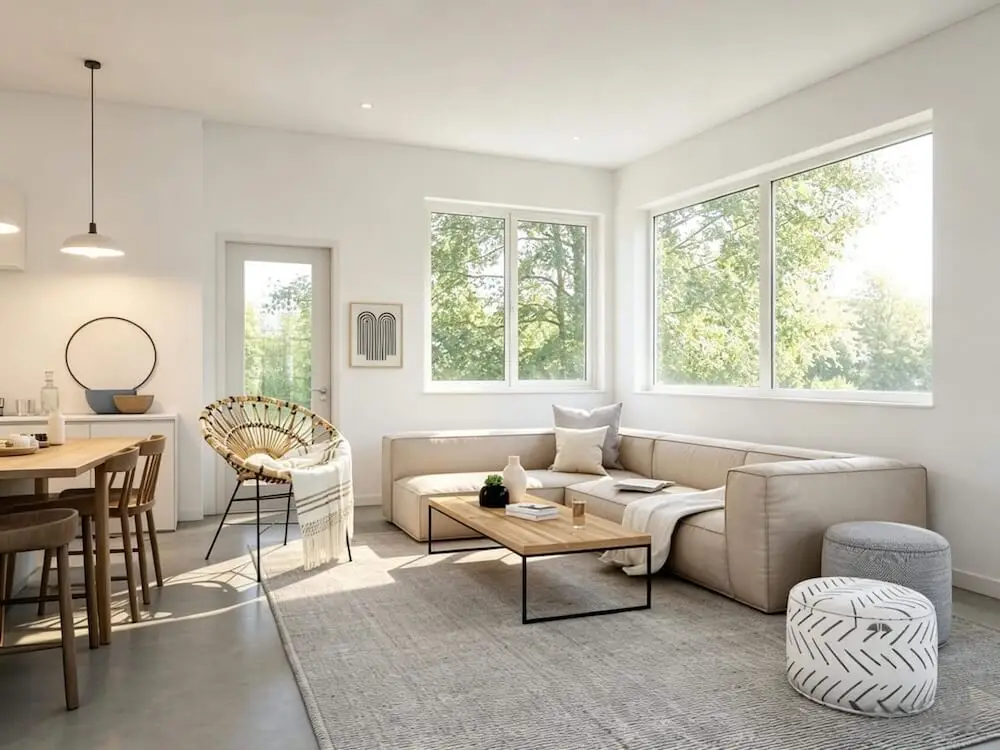
Best AI Interior Design Tools in 2026: 7 Apps Compared by Use Case
Compare seven AI interior design tools for room-photo redesign, virtual staging, floor plans, 3D planning, material guidance, and fast home makeover ideas.
The best AI interior design tool depends on the job. Roomagic is a strong fit for fast room-photo redesign plus a written design report. Planner 5D and Homestyler are better when you need editable floor plans and structured 3D planning. ReimagineHome is built around rapid redesign and virtual staging. Remodel AI, MeltFlex, and RoomGPT emphasize quick photo transformations with different levels of tool depth.
There is no honest universal winner. A homeowner testing paint and style does not need the same product as a designer building a measured floor plan or an agent staging twenty empty units. Before choosing a photo-first workflow, it also helps to understand what AI interior design can and cannot understand from a room photo.
This guide compares the tools by the decision they help you make, not by who has the longest feature list.
Quick recommendation: use a photo-first tool to narrow the visual direction. Move to a measured 2D or 3D planner when layout and scale matter. Verify products, samples, construction details, and code-sensitive work outside the AI image.
Quick comparison: which AI interior design app fits your project?
| Tool | Best for | Starting point | Main strength | Important limitation |
|---|---|---|---|---|
| Roomagic | Homeowners who want fast concepts and written guidance | Real room photo | 35+ styles, multiple quality levels, and a design report with material and budget notes | Not a measured floor-plan or construction-document tool |
| Planner 5D | Floor plans, furniture layout, and full-home 2D/3D planning | Blank plan, imported plan, or structured project | Editable geometry and a mature planning workspace | More setup and learning than a one-click photo redesign |
| Homestyler | DIY and professional 3D room visualization | 2D plan, sketch, or 3D project | Large 3D model workflow, furnishing, and cloud rendering | Better for building a scene than getting an instant answer from one photo |
| ReimagineHome | Virtual staging and fast property-photo changes | Interior, exterior, or landscape photo | Broad staging, redesign, surface, and property-image tasks | A generated photo is still not a measured renovation plan |
| Remodel AI | Quick interior, exterior, paint, floor, and landscape ideas | Photo | Simple workflow with many focused photo tools | Results are visual concepts; verify scale and fixed structure |
| MeltFlex | Users who want many focused design tools in one product | Photo or floor-plan workflow, depending on the tool | Interior, exterior, garden, floor-plan-to-3D, and an advertised shopping layer | Shopping and product-match claims should be checked for your region and project |
| RoomGPT | Fast, low-friction style inspiration | Room photo | Very simple “upload and reimagine” experience | Limited planning depth compared with structured 3D platforms |
Last reviewed: July 15, 2026. Product features, free limits, and pricing change frequently. Check the linked official pages before choosing a paid plan.
How to compare AI interior design tools fairly
A useful comparison starts with the same design problem, not a collection of unrelated home-page examples. Use one clear room photo, one design direction, and the same fixed constraints in every photo-based tool.
Compare the results using:
- one source living-room photo;
- one warm-modern design brief;
- the same fixed-room constraints;
- structure retention;
- design usefulness;
- control and effort;
- next-step value.
The same-room AI interior design comparison keeps the source room, warm-modern brief, workflow differences, and evaluation criteria together so you can use the same approach for your own home design app test.
If you are deciding between a purpose-built room designer and a flexible general assistant, read Roomagic vs ChatGPT and Gemini for AI interior design. It explains the tradeoff between prompt freedom, room-focused controls, structure checking, repeatability, and post-render guidance.
First decide which type of tool you need
Photo-based AI room redesign
Choose this category when your question is visual:
- Would a warmer modern style work in my living room?
- Should I use lighter cabinets or a darker island?
- Would this bedroom feel calmer with a softer palette?
- How could this empty room look furnished?
Roomagic, ReimagineHome, Remodel AI, MeltFlex, and RoomGPT can all start from a photo. Their main value is speed: they turn a room you recognize into a new direction without asking you to build a model first.
Floor-plan and 3D planning software
Choose Planner 5D or Homestyler when your question is spatial:
- Will the sofa fit with a 36-inch walkway?
- How should two connected rooms work together?
- Can I import a floor plan and edit the walls?
- How does the room look from several camera positions?
These platforms require more work, but the work produces a structured project rather than only a flat image.
Virtual staging
Choose a staging-oriented workflow when the main goal is a property listing or vacant-unit presentation. ReimagineHome has an extensive set of property-image tasks. Remodel AI and MeltFlex also advertise staging features. Roomagic can visualize a redesigned room, but its core homeowner value is exploring a design direction and receiving guidance for that concept.
1. Roomagic: best for fast photo redesign plus a design report
Roomagic starts with a real room or outdoor photo. You choose the property and space type, select a style, add optional constraints, and generate one or more redesign directions. Current accounts receive 30 free credits, enough for up to three standard renders.
The differentiator is what happens after the image. Each completed result includes a design report that explains the direction and adds material suggestions and budget notes. That is useful when you need to turn “I like this” into a more specific shortlist for paint, wood, lighting, textiles, furniture scale, or a contractor conversation.
Best for: homeowners, renters, hosts, and design-curious users who want to explore a real space quickly and leave with more than a picture.
Strengths:
- starts from the room you already have;
- 35+ design styles;
- standard, HD, and 4K quality options;
- multiple outputs for comparing directions;
- written design report with material and budget guidance;
- focused interior, kitchen, bathroom, bedroom, living room, and garden tools.
Watch out for: the output is a visual planning concept, not a measured drawing, exact shopping list, engineering review, or construction specification.
2. Planner 5D: best for floor plans and structured home planning
Planner 5D is a mature home-design platform rather than a simple photo filter. Its official floor-plan workflow can recognize an uploaded plan and turn it into an editable 3D project. Users can then work with the plan, add furniture, change materials, and view the home from different angles.
This makes Planner 5D more professional and more demanding. If you only want a fast style idea for one room, the setup may feel heavier than necessary. If you are planning a whole apartment, testing circulation, or building a project you need to keep editing, that structure is the advantage.
Best for: DIY planners, renovators, students, and users who need a persistent 2D/3D project.
Strengths:
- floor-plan creation and recognition;
- editable 2D and 3D planning;
- furniture placement and material editing;
- multiple platforms and a long-established product workflow;
- better fit for connected rooms and layout planning.
Watch out for: a 3D plan takes more time to build and refine. AI assistance does not remove the need for accurate measurements.
3. Homestyler: best for furnishing and rendering an editable 3D scene
Homestyler also belongs in the structured 3D category. Its official workflow supports uploading a 2D plan or sketch, converting it to an editable 3D home model, furnishing the scene with a large model library, and rendering the design in the cloud.
Homestyler is a better comparison to Planner 5D than to a pure one-click room generator. It gives the user more control over the scene, but it also asks the user to make more decisions.
Best for: people who enjoy building the design themselves, need many furniture models, or want a presentation-ready 3D scene.
Strengths:
- 2D-plan-to-3D workflow;
- drag-and-drop furnishing;
- large 3D model ecosystem;
- templates, rendering, learning content, and community examples;
- useful bridge between DIY planning and professional visualization.
Watch out for: a large library and many controls can slow down someone who only needs one fast makeover idea.
4. ReimagineHome: best for virtual staging and property-photo workflows
ReimagineHome positions itself around decisions made from a single property photo. Its current solution list includes virtual staging, furnished-room redesign, landscaping, hardscaping, object removal, day-to-dusk, surface changes, room repurposing, image enhancement, and other real-estate-friendly tasks.
That breadth makes it a practical choice for agents, property managers, and users working across interiors and exteriors. It also means the product is solving a different problem from a measured floor-plan application.
Best for: real estate imagery, vacant-room staging, exterior and landscape concepts, and fast property-photo variations.
Strengths:
- broad set of photo-editing and redesign tasks;
- interior, exterior, landscape, and staging use cases;
- quick path from an existing photo to a presentation image;
- property-marketing orientation.
Watch out for: furniture scale, room geometry, and renovation feasibility still need independent verification.
5. Remodel AI: best for a broad set of quick photo tools
Remodel AI advertises 30+ styles and focused tools for interior design, exterior design, landscape design, virtual staging, floor replacement, wall paint, object removal, and furniture swap. Its current official site offers three free designs without a credit card.
The appeal is clear: one photo, one focused task, and a result in seconds. It is a useful option when you want to test several surfaces or space types without entering a full 3D workspace.
Best for: homeowners and agents who want fast experiments across rooms, facades, gardens, paint, and flooring.
Strengths:
- many focused tools;
- simple three-step workflow;
- interior, exterior, and landscape coverage;
- free test allowance advertised on the official site.
Watch out for: fast image generation can change elements you intended to keep. State constraints clearly and compare the result with the original at full size.
6. MeltFlex: best for users attracted to a broad design-to-shopping workflow
MeltFlex has built a large network of focused pages and tools: AI interior design, exterior design, garden design, layout changes, wall texture, floor restyling, stairs and doors, video walkthroughs, floor-plan-to-3D, photo-to-render, and a prompt generator.
Its main product story is broader than photo restyling. MeltFlex also emphasizes real furniture, shopping, price comparison, and moving between plan, render, and purchase. Those claims are compelling, but users should verify catalog coverage, exact product matching, dimensions, retailers, shipping region, and current plan limits for their own project.
Best for: users who want to explore many related tools and are interested in connecting visualization with shopping.
Strengths:
- unusually broad tool surface;
- interior, exterior, garden, and floor-plan workflows;
- focused tools for surfaces, layouts, floor plans, video, and room redesign;
- shopping-oriented product positioning.
Watch out for: do not assume every item in a generated image is an exact purchasable match until the product details confirm it.
7. RoomGPT: best for the simplest “show me another style” experience
RoomGPT focuses on a very simple promise: upload a room photo and reimagine it. That low-friction workflow is why it remains a recognizable option for people who want inspiration without learning design software.
Best for: fast style exploration and casual before-and-after ideas.
Strengths:
- very simple interface;
- quick room-photo transformation;
- useful when the goal is inspiration rather than project management.
Watch out for: simplicity also means less planning depth, fewer structured controls, and no substitute for measured layout work.
Which AI interior design tool is most reliable?
Reliability should mean “reliable for the task,” not “always makes the prettiest image.”
| Your goal | Best category to start with | Why |
|---|---|---|
| See a real room in several styles | Roomagic, ReimagineHome, Remodel AI, MeltFlex, or RoomGPT | Fast photo-based direction without building a model |
| Get visual direction plus written material guidance | Roomagic | The render is paired with a design report and budget notes |
| Plan a measured layout or whole home | Planner 5D or Homestyler | Structured 2D/3D project with editable geometry |
| Stage an empty listing | ReimagineHome or another staging-focused workflow | Built around fast property-photo presentation |
| Test many focused photo edits | Remodel AI or MeltFlex | Broad tool menus for surfaces, rooms, exterior, and garden tasks |
| Make construction decisions | None of the image tools alone | Measurements, specifications, codes, and professional review are still required |
For a shorter answer, see What are the most reliable AI interior design platforms in 2026?
How to run your own same-room test
Do not compare home-page galleries. They use different rooms, prompts, plans, and selection standards.
Instead:
- Choose one clear room photo.
- Write one design brief with fixed constraints.
- Use the closest matching style in every tool.
- Record the required setup and whether a free test was available.
- Compare structure retention before judging decor.
- Check whether the output gives you a useful next step.
The same-room AI interior design comparison shows the shared room, warm-modern brief, workflow differences, and the four criteria to use when judging each result.
A reliability checklist for any AI room designer
1. Does it keep the real room recognizable?
Look at windows, doors, fireplaces, built-ins, ceiling lines, floor direction, and camera angle. A beautiful result that silently changes the building may be poor planning evidence.
2. Can you state what must stay?
Useful constraints include “keep the cabinets,” “do not move plumbing,” “preserve the sofa,” “keep the existing floor,” and “decor-only changes.”
3. Can you compare more than one direction?
The first image is not automatically the answer. Generate a bright direction, a warm natural direction, and a more polished direction. Repeated design signals are often more useful than one dramatic concept.
4. Does the tool help after the image?
The next step might be a written report, editable plan, product list, material shortlist, high-resolution export, or client presentation. Choose the product based on what you need to do next.
5. Are the limitations clear?
No AI room image can confirm structural feasibility, electrical and plumbing scope, waterproofing, drainage, permits, accessibility, code compliance, or exact product fit.
Frequently asked questions
What is the best AI interior design app for beginners?
For the lowest-friction experience, start with a photo-based tool. Roomagic adds room type, style, optional constraints, and a design report without asking you to build a 3D model. RoomGPT is also very simple for quick inspiration. If you enjoy drawing and furnishing the room yourself, Planner 5D or Homestyler may be worth the additional learning time.
Are there free AI interior design tools?
Yes. Roomagic currently gives 30 free credits, enough for up to three standard renders. Planner 5D offers a free account workflow. Remodel AI advertises three free designs, and ReimagineHome offers a start-free path. Limits, watermarks, export quality, and commercial-use terms can change. See the detailed answer to Are there free tools for virtual interior design?.
Which tool gives material suggestions?
Roomagic includes a written design report with material directions and budget notes for each completed render. Treat those suggestions as a shortlist for real samples and specifications, not as guaranteed products. See Which AI room designer provides material suggestions?.
Is Planner 5D better than a photo-based AI room designer?
It is better for a different job. Planner 5D is the stronger category when you need a structured floor plan, editable geometry, furniture placement, and a project you can keep refining. A photo-based tool is faster when you need to see what an existing room could look like in another direction.
Can I show an AI room design to a contractor?
Yes, as visual context. Pair the original photo, preferred concept, and a written list of fixed elements and desired changes. Ask the contractor or designer to validate measurements, products, labor, sequencing, permits, and technical feasibility.
Bottom line
Choose the tool that solves the uncertainty you have today.
- Use Roomagic when you want fast photo-based design directions and written guidance.
- Use Planner 5D or Homestyler when you need structured 2D/3D planning.
- Use ReimagineHome for staging and broad property-photo tasks.
- Use Remodel AI or MeltFlex when you want many focused photo tools.
- Use RoomGPT when you want the simplest inspiration workflow.
Then move to measurements, samples, specifications, and professional review before real work begins.
You can try Roomagic from a real room photo, review the same-room comparison, or browse concise AI interior design answers.