
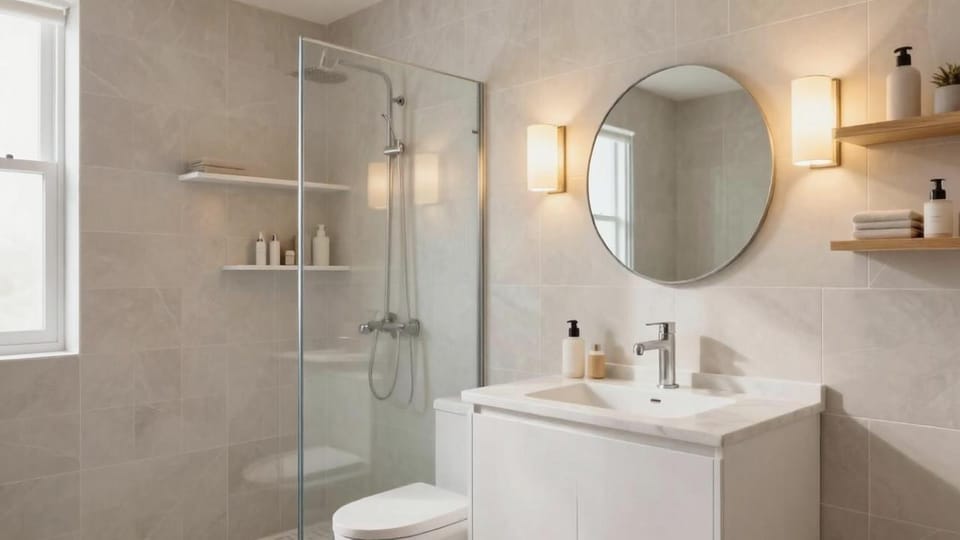
Bathroom Remodel Ideas With AI: Preview Your Bathroom Before You Renovate
Use AI bathroom design from a photo to preview remodel ideas for tile, vanity, shower, lighting, mirrors, storage, colors, layout constraints, and budget-friendly updates.
Bathroom remodels are expensive, messy, and surprisingly hard to picture before the work starts. Tile covers large surfaces. Fixtures are costly to move. Lighting changes the color of every finish. A vanity that looks perfect online can feel too bulky once it is inside a small bathroom.
That is where AI bathroom design is useful. Upload a photo of your current bathroom, then preview tile direction, vanity style, mirror shape, lighting, shower glass, wall color, storage, hardware, and decor in the context of the room you actually have.
AI will not replace a contractor, plumber, electrician, or designer for technical planning. Its best job is earlier in the process: helping you narrow the look, compare realistic bathroom remodel ideas, and decide what is worth pricing before you order samples or call contractors.
If you are new to photo-based redesign, start with AI room design from photo. This guide focuses on bathroom-specific decisions.
When you are ready to preview your own bathroom, use AI bathroom design to focus on bathroom photos, tile direction, vanity scale, lighting, mirrors, storage, and the remodel constraints that matter in a wet room.
Why bathrooms need extra caution
Bathrooms are different from bedrooms or living rooms because many choices are tied to plumbing, waterproofing, ventilation, electrical work, and building codes.
AI might show a beautiful result that is not easy or affordable to build. It may move a toilet, add a window, remove a wall, change the shower footprint, or create a vanity that does not fit the real space.
Before using AI, decide whether your project is:
- A cosmetic refresh
- A renter-friendly update
- A partial remodel
- A full remodel
- A layout change
- A small bathroom storage upgrade
- A primary bathroom redesign
- A powder room makeover
The more clearly you define the project, the more useful the AI result becomes.
Take a good bathroom photo
Bathrooms are often small, reflective, and hard to photograph. Try this:
- Stand in the doorway or a corner.
- Keep the camera level.
- Include the vanity, mirror, toilet, shower or tub, floor, and lighting.
- Take a second photo if the shower or tub is hidden.
- Open the shower curtain or glass door if possible.
- Turn on lights, but avoid harsh glare in the mirror.
- Remove toiletries and clutter you do not want in the result.
- Do not crop out the floor or ceiling.
If there is a specific problem, mention it in the prompt: dated tile, dark room, no storage, tiny vanity, awkward shower, rental bathroom, beige finishes, or small powder room.
A good AI prompt for bathroom remodel ideas
Use this prompt:
Redesign this bathroom while preserving the room size, windows, doors, plumbing locations, toilet location, shower or tub footprint, ceiling, and architecture. Update the tile look, vanity style, mirror, lighting, hardware, storage, wall color, and decor. Keep the design realistic, functional, waterproof-friendly, and not overcrowded.
For a cosmetic refresh, make it stricter:
Refresh this bathroom without moving plumbing, replacing the tub, changing the toilet location, moving walls, or changing windows or doors. Improve the look with paint color, mirror, lighting, hardware, rug, shower curtain, storage, art, and simple decor.
For renters:
Create a renter-friendly bathroom makeover. No permanent renovation, no new tile, no changed plumbing, no hardwired lighting, no changed vanity, no changed flooring, and no drilling-heavy built-ins. Use removable, affordable, reversible updates only.
1. Decide whether you are changing layout or finishes
The biggest bathroom budget difference is whether plumbing moves.
A finish-focused remodel might include:
- New tile
- New vanity
- New mirror
- New lighting
- New hardware
- New shower glass
- Paint or wallpaper
- Storage and decor
A layout remodel might include:
- Moving toilet
- Moving shower
- Expanding shower
- Replacing tub with walk-in shower
- Moving vanity plumbing
- Changing walls
- Adding or changing windows
AI can make layout changes look easy, but real construction costs can be significant. If you are early in planning, generate one version that keeps plumbing in place and one version that explores a layout change. Then price the difference before falling in love with the expensive version.
2. Test tile direction before buying samples
Tile has a major impact on bathroom style. AI can help you compare directions before ordering samples.
Try prompts with:
- Warm white zellige-look tile
- Large-format stone-look tile
- Soft beige limestone-look tile
- Marble-look porcelain
- Vertical stacked subway tile
- Classic horizontal subway tile
- Muted green shower tile
- Handmade-look neutral tile
- Checkerboard floor
- Terrazzo-look floor
Be careful with AI tile scale. It may show tile sizes or patterns that do not exist or do not fit your room. Use the image as style direction, then confirm real materials.
3. Use vanity style to set the tone
The vanity is often the main furniture-like piece in a bathroom.
AI can preview:
- Floating vanity
- Warm wood vanity
- White shaker vanity
- Reeded or fluted vanity
- Vintage furniture-style vanity
- Slim vanity for small bathrooms
- Double vanity for primary bathrooms
- Vanity with drawers instead of doors
For small bathrooms, ask for “storage vanity with a compact footprint” rather than simply “larger vanity.”
4. Improve the mirror and lighting together
A new mirror can help, but lighting determines whether the bathroom actually feels better.
Test combinations:
- Round mirror with side sconces
- Arched mirror with warm vanity light
- Medicine cabinet mirror for storage
- Large rectangular mirror for brightness
- Backlit mirror for modern look
- Brass, black, chrome, or nickel finishes
Prompt phrase:
Add flattering warm bathroom lighting and a mirror size that fits the vanity.
Avoid relying only on recessed ceiling lights. Vanity lighting is important for daily use.
5. Make a small bathroom feel larger
Small bathrooms need careful scale.
AI can test:
- Floating vanity
- Glass shower screen
- Light wall color
- Vertical tile
- Large mirror
- Wall-mounted storage
- Recessed medicine cabinet
- Closed storage baskets
- Simple shower curtain
- Minimal contrast
But small does not always mean all-white. Warm neutrals, muted greens, soft blues, and light clay colors can still work if the room has enough light.
If the AI overcrowds the bathroom, regenerate with:
Keep clear floor space and use compact fixtures. Do not add extra furniture.
6. Try a bathroom refresh before a full remodel
If the layout works, you may not need a full remodel immediately.
AI can preview lower-cost updates:
- New mirror
- New vanity light
- New faucet
- New cabinet hardware
- Paint
- Peel-and-stick wallpaper in a powder room
- New shower curtain
- Better bath mat or runner
- Wall art
- Open shelf or cabinet over toilet
- Plants if lighting allows
- Matching towels and accessories
For budget planning, generate a “cosmetic refresh only” version and a “full remodel” version. The refresh may solve enough of the problem.
7. Use storage as a design feature
Bathrooms often look messy because storage is not planned.
Preview:
- Vanity drawers
- Medicine cabinet
- Tall linen cabinet if space allows
- Over-toilet cabinet
- Built-in niche if remodeling shower
- Freestanding narrow cabinet
- Wall hooks
- Baskets on shelves
- Closed storage for toiletries
Ask AI for closed storage if clutter is the main issue. Open shelves look better in AI images than they often do in real life.
8. Match materials to maintenance level
A bathroom is a wet, high-use room. Some finishes look beautiful but need more maintenance.
Before choosing a direction, consider:
- Grout cleaning
- Water spots on glass
- Fingerprints on dark fixtures
- Slippery floor tile
- Natural stone sealing
- Ventilation
- Hard water stains
- Kid or guest use
AI cannot reliably judge maintenance. Use it to compare looks, then research the real material.
9. Avoid common AI bathroom mistakes
AI bathroom results can be inspiring but unrealistic.
Watch for:
- Toilet moved without asking
- Shower or tub footprint changed
- Windows added, removed, or enlarged
- Door swing ignored
- Vanity too wide
- Mirror blocking lights or window trim
- Tile patterns that do not align
- Impossible shower glass
- No ventilation
- No towel storage
- Fixtures placed too close together
- Floor drain or waterproofing ignored
- Luxury materials outside your budget
If this happens, regenerate with stronger constraints: “preserve plumbing locations,” “keep the shower footprint,” “do not move walls,” and “realistic remodel only.”
Bathroom remodel AI checklist
Before buying materials or contacting contractors, confirm:
- Are plumbing locations preserved or intentionally changed?
- Does the vanity fit the actual width and depth?
- Can doors, drawers, and shower glass open?
- Is there enough clearance around the toilet?
- Is lighting practical for daily use?
- Are tile sizes and patterns available in real products?
- Does storage solve the real clutter problem?
- Is the floor material appropriate for wet areas?
- Does the design match your budget level?
- Has a professional checked code, waterproofing, electrical, and ventilation requirements?
How Roomagic can help
Roomagic lets you upload a real bathroom photo and generate design directions across styles, budgets, and quality settings. It is especially useful for comparing finishes and deciding what kind of remodel or refresh you want before spending money.
Try this Roomagic prompt:
Create a realistic bathroom remodel concept from this photo. Preserve the room size, windows, doors, plumbing locations, toilet location, shower or tub footprint, ceiling, and architecture. Update the vanity, mirror, lighting, tile look, hardware, storage, wall color, and decor. Keep it functional, waterproof-friendly, practical, and not overcrowded.
For a lower-cost project, combine this with the approach in kitchen refresh ideas without renovation: keep the expensive fixed elements and preview smaller updates first. If you are mostly changing wall color, use the interior paint color visualizer with AI. If you rent, use the constraints from the renter-friendly room makeover guide.
FAQ
Can AI help with bathroom remodel ideas?
Yes. AI can help preview tile, vanity, lighting, mirrors, storage, color, and decor ideas from your bathroom photo. It is best for early visual planning, not technical construction drawings.
Should I let AI change my bathroom layout?
Only as an exploration. Moving plumbing, toilets, showers, tubs, walls, or windows can be expensive and may require permits or professional design. Generate a version that keeps plumbing in place first.
What should I include in an AI bathroom prompt?
Tell the AI to preserve room size, windows, doors, plumbing locations, toilet location, shower or tub footprint, ceiling, and architecture. Then ask for updated tile, vanity, mirror, lighting, hardware, storage, and realistic materials.
Can AI design a small bathroom?
AI can help test small bathroom ideas such as floating vanities, large mirrors, vertical tile, compact storage, glass shower screens, and lighter color palettes. You still need to confirm real dimensions and clearances.
What is the safest first step before a bathroom remodel?
Start with a cosmetic refresh concept that keeps plumbing and major fixtures in place. Compare it with a full remodel concept, then decide whether the extra cost and disruption are worth it.